Introduction
Starting a YouTube channel can feel overwhelming — especially if you don’t want to be on camera or spend hours editing.
The good news?
👉 You can now use AI tools to create entire YouTube videos from scratch, even as a beginner.
In this guide, I’ll show you the best AI tools for YouTube beginners and exactly how to use them step by step.
What Beginners Need to Start a YouTube Channel
If you’re just starting out, you only need 4 things:
- ✍️ Script
- 🎙 Voiceover
- 🎬 Video
- 🖼 Thumbnail
AI tools can handle all of this for you.
Best AI Tools for YouTube Beginners
ChatGPT – Script Writing
- Generate video ideas
- Write full scripts
- Create titles and hooks
👉 Perfect starting point for any beginner
ElevenLabs – AI Voice Generator
- Realistic human-like voices
- Easy to use
- Great for faceless channels
👉 Ideal for narration
InVideo AI – Video Creation
- Turn text into videos
- Beginner-friendly interface
- Fast results
Pictory – Script to Video Tool
- Converts scripts into videos
- Adds visuals automatically
Canva – Thumbnails
- Drag-and-drop editor
- Free templates
- No design skills needed
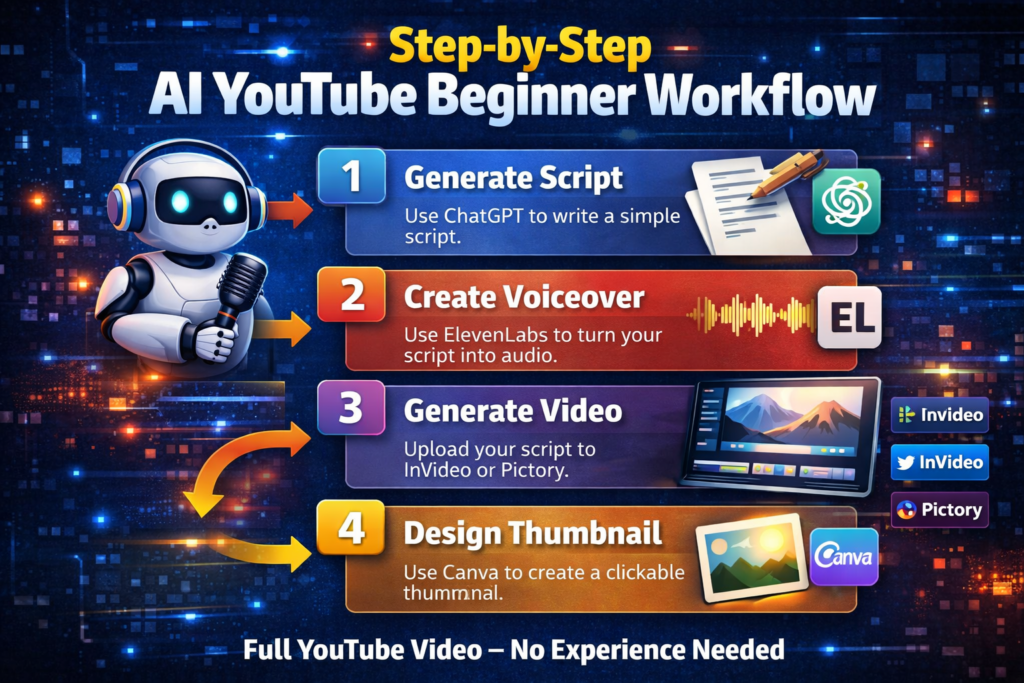
Step-by-Step: How to Create Your First Video Using AI
Step 1: Generate a Script
Use ChatGPT to write a simple script.
Step 2: Create Voiceover
Use ElevenLabs to turn your script into audio.
Step 3: Generate Video
Upload your script to InVideo or Pictory.
Step 4: Design Thumbnail
Use Canva to create a clickable thumbnail.
👉 That’s your full YouTube video — no experience needed.
Best YouTube Channel Ideas for Beginners (AI-Friendly)
- Motivation videos
- Facts / educational content
- AI tools tutorials
- Finance / productivity
- Story-based channels
👉 These niches work well with AI automation.
Free vs Paid Tools – What Beginners Should Know
Start with free tools.
Upgrade when:
- You post consistently
- You want higher quality
- You start earning
If you want to build a fully automated YouTube channel:
👉 Check out the best AI tools for faceless YouTube
Further read: